From Manual Workflows to a Business That Moves at Startup Speed
Client Profile
Industry: Specialty E-Commerce / Consumer Products
Company Size: 22 employees
Stage: Early-stage startup
Environment: Microsoft 365 | Cloud-based operations | Small cross-functional team
The startup had a strong product and a growing customer base.
But behind the scenes, many everyday business processes were still being managed through email, spreadsheets, shared folders, and manual follow-ups.
As the company grew, the founders realized something important:
They were spending too much time running the business—and not enough time growing it.
What They Wanted to Achieve
The leadership team wanted to:
- Automate repetitive administrative processes
- Reduce email-driven approvals
- Eliminate duplicate data entry
- Create visibility into operational requests
- Speed up internal approvals
- Standardize business processes
- Reduce dependency on individual employees
- Create scalable workflows without adding unnecessary headcount
- Allow employees to focus on customers, products, and growth
Their objective
Build simple digital workflows that allow a 22-person company to operate with the efficiency of a much larger organization.
The Challenges
Everything Started With an Email
Requests for purchasing, expenses, approvals, onboarding, and operational tasks were often initiated through email.
Important information could become buried in inboxes.
Spreadsheets Were Running the Business
Several operational processes relied on manually maintained spreadsheets.
That created:
- Duplicate data
- Version-control problems
- Manual updates
- Reporting delays
- Human errors
Approvals Were Slow
Employees frequently had to send reminders to get approvals completed.
A simple request could sit for hours—or days.
No Central Process Visibility
Management couldn’t easily answer:
What’s pending?
Who’s responsible?
How long has it been waiting?
What’s overdue?
Employees Were Doing Work the System Could Do
People were spending valuable time:
Copying data → Sending emails → Updating spreadsheets → Following up → Creating reports
The startup was effectively using people as workflow engines.
How OJASVI Advised the Client
We Didn’t Automate Everything. We Automated What Mattered.
OJASVI began by mapping the company’s highest-volume and most time-consuming processes.
We evaluated:
Frequency
Manual effort
Number of people involved
Approval requirements
Error potential
Business impact
Automation opportunity
We then prioritized workflows based on:
High volume + high manual effort + clear business rules
This prevented the startup from building complicated automation simply because the technology made it possible.
The Recommended Solution
Microsoft Power Platform
OJASVI designed a lightweight automation environment using:
Power Automate
To automate approvals, notifications, data movement, reminders, and business workflows.
Power Apps
To provide simple business applications and forms where email and spreadsheets were creating unnecessary friction.
Dataverse / SharePoint
To provide structured data storage appropriate to each workflow.
Microsoft Teams
To bring workflow notifications and approvals into the team’s existing collaboration environment.
Power BI
To provide visibility into workflow activity, turnaround times, bottlenecks, and operational trends where appropriate.
The First Workflows We Automated
- Purchase Request & Approval
Before
Employee → Email → Manager → Follow-up → Spreadsheet → Finance
After
Power App → Automated approval → Decision → Notification → Record
The process became structured, traceable, and easier to manage.
- Employee Onboarding
The startup had been manually coordinating:
HR → IT → Manager → Finance → Employee
OJASVI created an automated workflow that triggered tasks for each responsible team when a new employee was added.
This ensured that:
- Accounts were requested
- Equipment requirements were captured
- Access tasks were assigned
- Managers received notifications
- HR could track completion
- Customer/Partner Requests
Requests that previously arrived through email were captured through a standardized form.
Power Automate then:
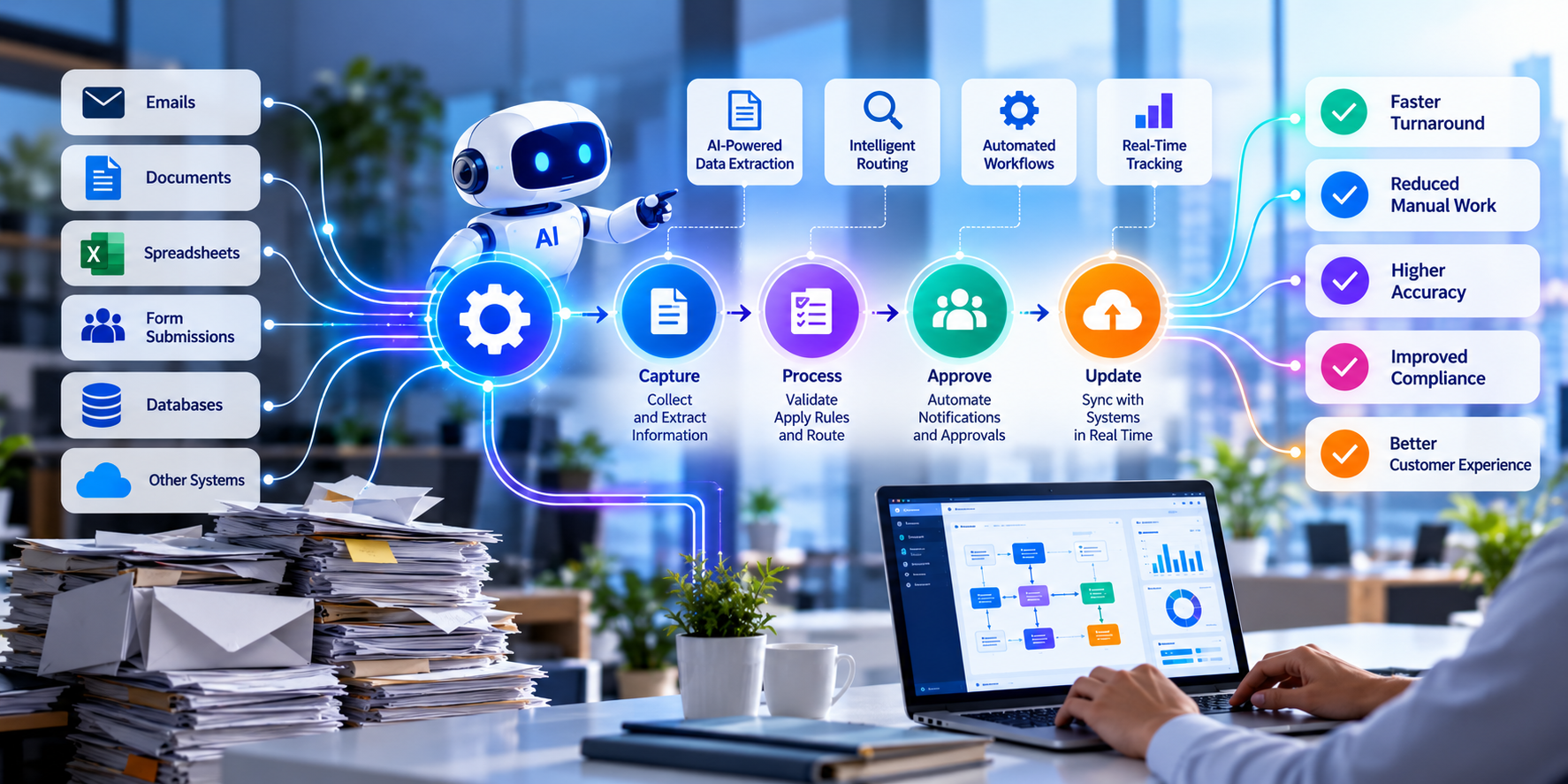
Captured → Categorized → Assigned → Notified → Tracked → Closed
- Expense Approval
Employees submitted expenses through a structured workflow.
The system automatically routed the request to the appropriate approver and notified Finance after approval.
- Automated Reminders
Instead of employees manually chasing pending actions, automated reminders were triggered when workflows exceeded defined time thresholds.

What OJASVI Was Able to Solve
Email Dependency
→ Converted email-driven processes into structured workflows.
Spreadsheet Dependency
→ Replaced manual tracking with centralized digital processes.
Approval Delays
→ Automated routing, notifications, and reminders.
Duplicate Data Entry
→ Allowed information to flow automatically between steps.
Limited Visibility
→ Created dashboards and workflow status views.
Employee Dependency
→ Standardized processes so they weren’t dependent on one person’s memory.
Scaling Challenges
→ Created repeatable workflows that could handle increased volume without proportional increases in administrative effort.
The Biggest Change
The Business Started Moving at the Speed of the Decision—Not the Speed of the Inbox.
Before:
Request → Email → Wait → Follow-up → Approve → Update → Report
After:
Request → Automate → Approve → Execute → Track
The technology quietly handled the repetitive steps.
People focused on the decisions.
Time Saved
For a 22-person startup, even small amounts of administrative work can consume a surprising amount of capacity.
The initial automation program targeted approximately 8–10 recurring workflows.
Illustrative impact
Process | Monthly Time Before | Monthly Time After | Potential Time Recovered |
Purchase approvals | 18 hrs | 6 hrs | 12 hrs |
Employee onboarding | 12 hrs | 4 hrs | 8 hrs |
Customer/partner requests | 20 hrs | 8 hrs | 12 hrs |
Expense processing | 10 hrs | 3 hrs | 7 hrs |
Follow-ups & reminders | 18 hrs | 4 hrs | 14 hrs |
Reporting & reconciliation | 15 hrs | 5 hrs | 10 hrs |
Total | 93 hrs | 30 hrs | ~63 hrs/month |
Potential capacity recovered: ~750 hours per year
Illustrative scenario. Actual savings depend on workflow volume, process complexity, number of users, and automation scope.
What Did Those Hours Become?
This is where the real value emerged.
The startup didn’t simply save administrative hours.
It redirected that capacity toward:
Customer acquisition
Product development
Customer experience
Partner relationships
Market expansion
Strategic planning
The goal wasn’t to make employees work faster.
It was to stop making them do work that software could do for them.
How It Supported Growth
The startup could now increase transaction and request volume without increasing administrative work at the same rate.
A new employee didn’t require someone to manually coordinate every onboarding step.
A new approval didn’t require another email chain.
A higher volume of customer requests didn’t require another spreadsheet.
The workflows became a scalable operating layer for the business.
Business Value
Simplify
Replace fragmented email and spreadsheet processes with structured digital workflows.
Accelerate
Move approvals, requests, and operational processes faster.
Standardize
Create consistent processes across the organization.
Increase Visibility
Know what’s pending, who’s responsible, and where bottlenecks exist.
Free People
Reduce repetitive administrative work.
Scale
Handle increasing business volume without proportionally increasing administrative overhead.
The OJASVI Difference
We Don’t Automate for the Sake of Automation.
We identify where automation can remove friction, repetition, delay, and unnecessary human effort.
Our approach:
Discover → Prioritize → Design → Automate → Measure → Improve
The result is not simply a collection of Power Automate flows.
It’s a smarter way for the business to operate.